An AI music maker whose songs you can still edit
Describe the track you want and Headphonaut writes it as real tracks, clips and instruments in your browser. Change a note, build your own instrument, design an effect or rewrite the drums, by hand or by asking the AI. The result is a project, not a locked audio file.
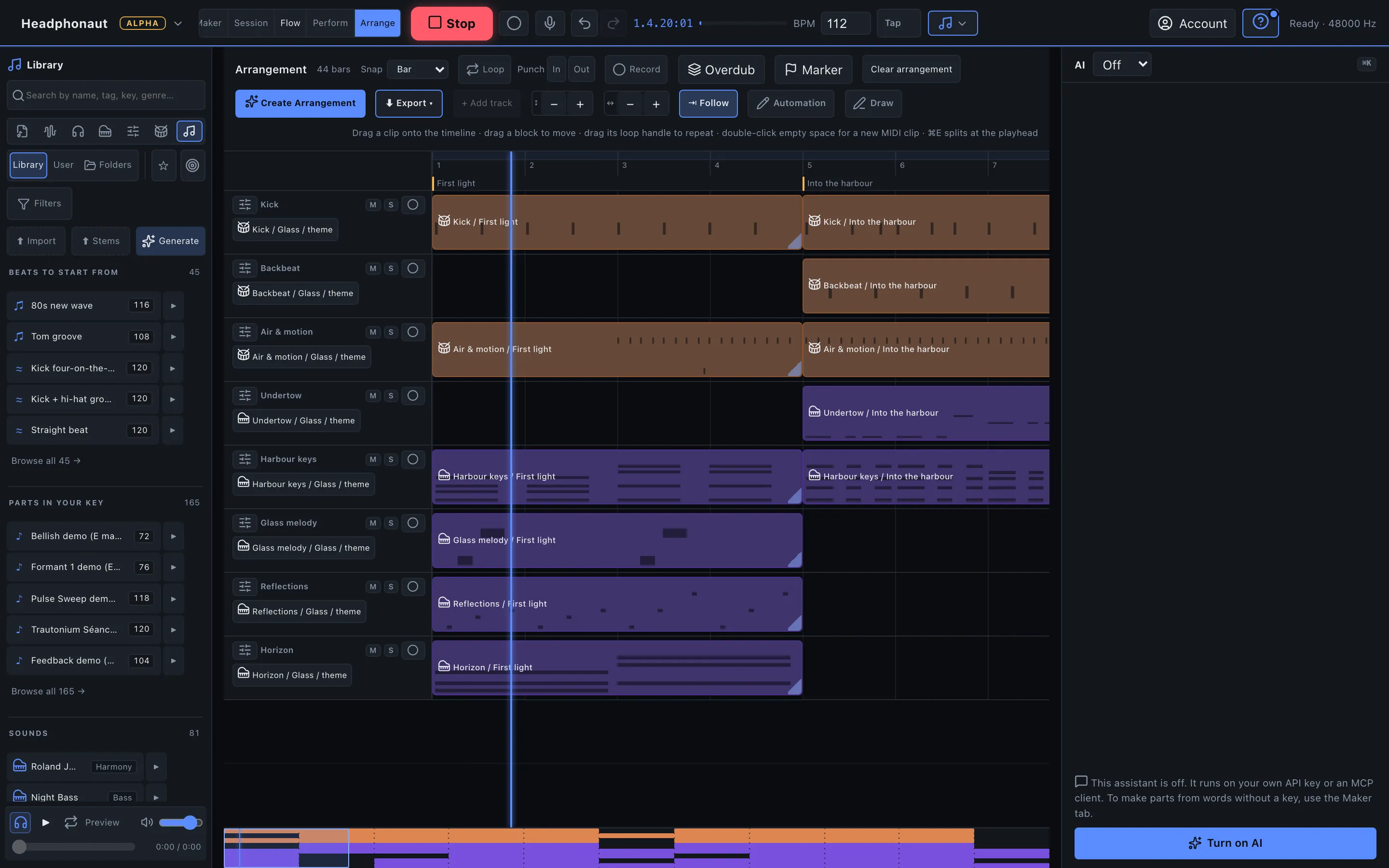
Why editable output matters
Most AI music generators return a finished audio file. If the bass is too loud, the second chorus drags or the snare is wrong, your only option is to generate again and hope. Headphonaut works the other way around: the AI writes the music as notes and devices, so the song stays open after it is made.
Describe it
Tell the Maker what you want to hear, for example the mood, tempo or style. It writes the arrangement as tracks and clips, played on emulations of classic synthesizers and drum machines.
Edit it
Open the result in Studio. Use the piano roll, rewire an instrument as a graph, adjust the mixer, or change the tempo. Every part is yours to change.
Keep going
Build from the generated loop or start from scratch. It runs in the browser, so there is nothing to install, and you can try it without an account.
Create everything, by hand or with AI
In Headphonaut almost everything is something you can build and change yourself, and you can do it either manually or by asking the AI. Nothing is a sealed black box.
Tracks and clips. Write notes in the piano roll or ask the AI for a bassline, a drum pattern or a whole arrangement. Every clip stays editable.
Instruments. Build synthesizers as graphs of modules, or ask the AI to make one. Rewire oscillators, filters, envelopes and modulation, and turn any knob.
Effects. Add, chain and adjust effects on any track, or describe the effect you want and have it built for you.
Sounds. Shape presets and sound design at the parameter level, on emulations of classic synthesizers and drum machines.
Mixing. A full mixer with sidechain, loudness metering and a live spectrum, controlled by you or by the AI.
Tell us what is missing
Headphonaut ships new versions several times a week, so a request for a device, a sound, a feature or a change can be live within days. Use Request a feature in Maker or Studio, or write to [email protected].
Questions
Can I edit the music the AI makes? Yes. The Maker returns tracks, clips and devices instead of a rendered audio file, so you can change any note, sound or effect in the Studio.
Can I create my own instruments and effects, not just songs? Yes. Tracks, clips, instruments, effects, sounds and the mix can all be created and edited, either manually in the Studio or by asking the AI. The Studio's AI assistant runs on your own API key.
Do I need to install anything or create an account? No. Headphonaut runs in your web browser and you can try the Maker without an account. An account adds cloud save and sharing.
Is it free? You can try the Maker and Studio for free while Headphonaut is in alpha.
Can I use the music commercially? Yes, if you have the rights to anything you import. Built-in sounds are licensed for use in finished tracks. AI-generated patterns may not qualify for exclusive copyright. See the Terms and AI use.